
Mike Wade, VP of Customer Success
Ask a security team why they renewed the SIEM they complained about all year, and you will rarely hear a defense of the product. Instead, you will hear a defense of the cost of switching. Five years of saved searches. Hundreds of detections that took nights and weekends to tune. Dashboards the SOC stares at during every incident. Alert logic nobody fully remembers writing but everybody depends on. The renewal is not a vote of confidence, it’s a hostage payment.
We built Gravwell Mission Support to end that arrangement. For Gravwell Cloud customers, Mission Support manages the entire migration, from first ingest to a fully operational SIEM, inside 90 days. Self-hosted teams get the same engineers and the same process, delivered as hands-on remote guidance. In this blog, I’ll show you what the move looks like, start to finish.
The Lock-in Was Never the License
Precisely quantify what keeps you where you are and migrating stops being scary. A SIEM deployment, even a big one, contains a finite set of things: detection rules, dashboards, scheduled reports, alert and automation logic, lookup data, the configurations that feed data in, and the historical data itself. That is the whole list. Every category has a migration path, and most of them no longer require a human to walk them. AI migration tools can now remove what was once a daunting amount of labor.
There is one more asset on the list, and it is the one vendors quietly count on: your team's muscle memory in the old query language. We will get more into that below.
Your Content Moves Itself Now
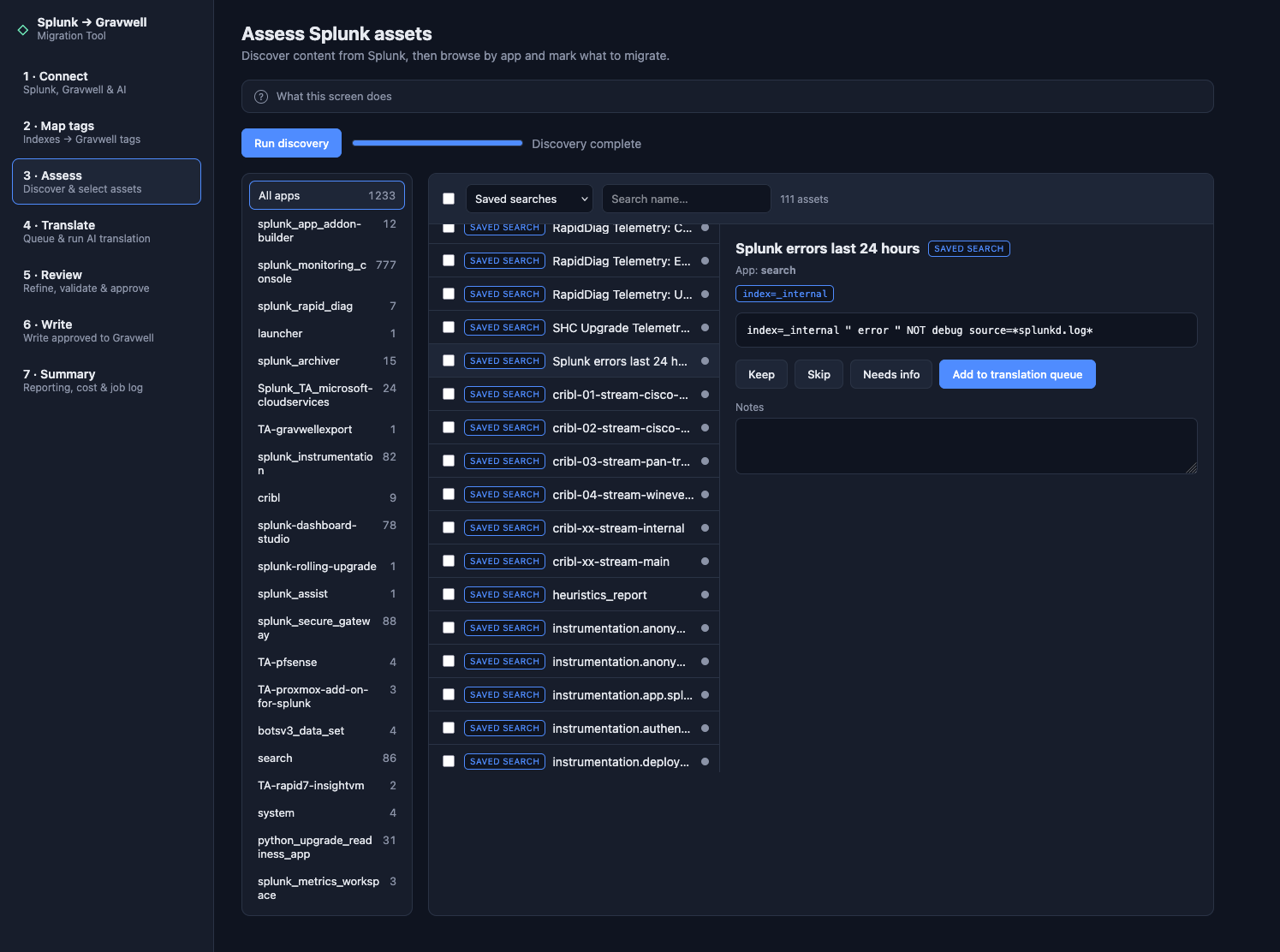
Assess your assets before migration, reviewing saved searches and deciding what to keep, skip, or translate to Gravwell.
The largest line item in any SIEM migration used to be rebuilding content by hand. An engineer would open a saved search in the old platform, squint at it, and painstakingly rewrite it in the new one. Multiply that effort by 400 and you have lost a quarter’s worth of engineering roadmap.
Gravwell's AI migration tool removes that line item. Point it at your exported content and it converts your saved searches and detection rules into Gravwell scheduled searches, your dashboards into Gravwell dashboards, and your alerting and automation logic into Gravwell alerts, flows, and actionables. Nothing gets rewritten by hand, and nothing lands on a spreadsheet of assets to recreate someday.
Two clarifications, because practitioners should distrust any migration pitch that doesn’t mention them explicitly: First, conversion is not the same as done. With Gravwell, every migrated asset is created under an admin account, validated against your live data, and handed to your team for review before it transfers to you. The AI tool handles the volume, then your people make the judgment calls to confirm.
Second, content and data are different problems. The AI tool migrates your content: the detections, dashboards, and automations your team built. Your historical event data moves separately, through a standard export from your current platform, and is ingested into Gravwell, with Mission Support building the ingester configurations and assisting at each step. Extraction from the old platform stays in your hands, using its own export tooling. Your data was always yours and leaves the same way it went in.
You also choose how much of this we do. Full Migration means Gravwell manages the whole content move and hands everything over for approval. Partial Migration means we migrate the set you point us at. Supported Migration means your team drives and we are on call when something fights back.
Flight Readiness: The Audit You Have Been Putting Off
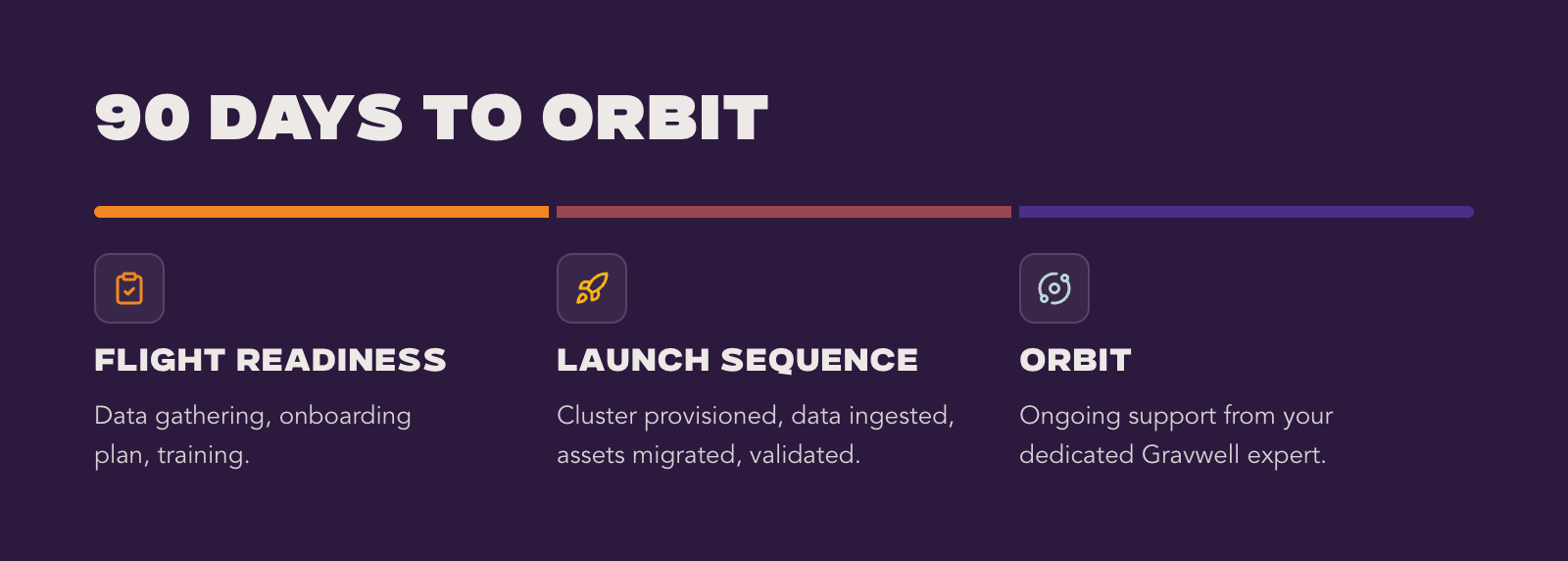
Every Mission Support engagement starts with Flight Readiness. A Gravwell engineer sits down with your team and reviews the current deployment asset by asset. Every detection, dashboard, and automation.
This review drives value before anything moves. Most SIEM deployments carry years of content nobody would rebuild on purpose like detections for systems decommissioned two reorgs ago and reports emailed to someone who left. Walking the inventory surfaces what is actually load-bearing, and teams routinely choose to leave a surprising share of their content behind.
Flight Readiness ends with an agreed migration scope, named owners on both sides, and a confirmed kickoff date. Nothing moves until everyone knows exactly what is moving.
Launch Sequence: Build, Migrate, Verify
Launch Sequence is where your Gravwell instance gets deployed and configured. Mission Support engineers run configuration sessions with your admins, build ingester configurations for each data source, map out wells and storage so your retention requirements are met rather than approximated, and help stand up SSO.
Then the content moves, with the AI migration tool doing the conversion and Mission Support engineers handling the exceptions. Weekly standups track progress, and office hours run after each standup so anyone on your team can show up with a question.
Launch Sequence closes with formal acceptance testing across three reviews: a data review confirming every source is flowing and searchable, an asset review of the migrated detections and dashboards, and an automation review confirming flows and alerts fire the way the originals did. You sign off. We do not declare victory for you.
Training runs alongside all of it: four sessions, live or recorded, from platform fundamentals through advanced queries and automation, with the final session on whatever topic your team picks. This is where the muscle-memory problem gets solved faster than most teams expect, because the sessions use your data and your freshly migrated content instead of canned demos.
Run Both Until You Are Sure
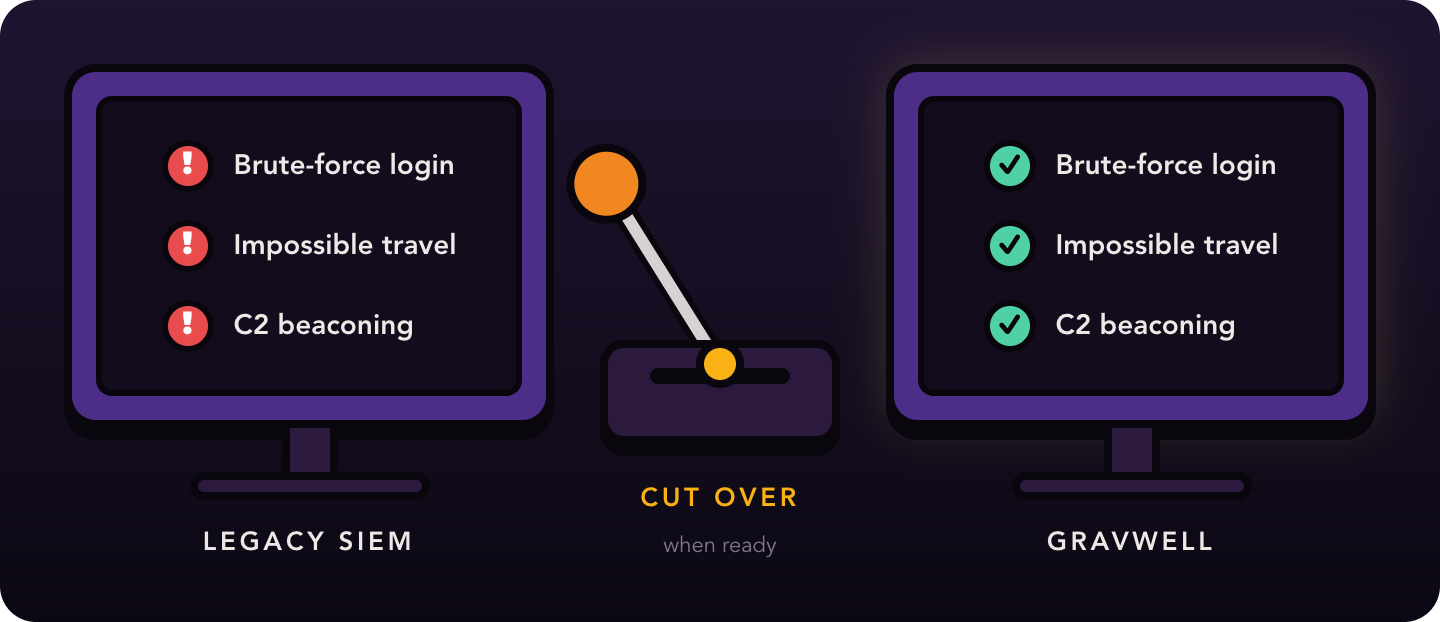
There is no ‘forklift’ moment. Gravwell gets built in parallel with your existing SIEM, and both run side by side while your team compares results: same data in, same detections firing, and two consoles open. You cut over when the evidence says the new environment is ready, not when a project plan says the old one has to die.
The obvious objection is that parallel operation means paying for two platforms. The SIEM Replacement Program exists for exactly that. If you are ready for Gravwell but locked into a contract, you can start the migration now and pay Gravwell nothing until your current agreement expires. The overlap costs you nothing. Your incumbent's remaining term becomes your risk-free validation window, which is probably not what they had in mind when they wrote it.
Orbit: Support That Stays With You
Migration is where most vendor attention ends. It is where Mission Support changes gears.
In Orbit Maintenance, you are assigned one dedicated support engineer who learns your environment and stays on your account. Not a rotating ticket queue. The same person, who knows why your wells are mapped the way they are and which of your flows page a human at 3 a.m.
Two commitments back that up:
-
The three-email rule: if a support ticket is not resolved by the third email, the next step is a video call, every time. We do not do infinite escalation threads.
-
The 24-hour query response: send us a query that is not behaving the way you expect, and within 24 hours you get a corrected one back.
“The support team is top tier. Having that team to help you understand your environment and get everything set up is such a great resource. They’re not just trying to sell you something – they’re trying to help you make your environment work.”
- Information security analyst, public research university
“We worked with Gravwell to get the software installed and to pull the logs over and make sure everything transitioned correctly. We did it in stages over several months to make sure nothing was missed, and once everything was validated, we were able to fully transition off the old system.”
- Senior threat response engineer, financial services organization
The Other Side of the Meter
Here is what changes once you are in orbit. There is no daily meter, so nobody has to filter data at the edge to protect a license, nobody rations a noisy but useful source, and nobody gets an overage email because an incident demanded more logging.
Retention stops being a budget fight too. Teams that lived with 90 days of searchable history because that was all the old license allowed find that keeping a year, or several, is a storage decision instead of a licensing one. Automated searching is unlimited, so detection engineering gets to be aggressive instead of thrifty. Orbit helps you turn that freedom into value by helping you build better queries, explore more of your data, and get more from Gravwell as the amount of evidence available to investigate grows.
Ready for Flight Readiness? Talk to the Mission Support team or see the AI migration tool in action.